
Tsinghua-affiliated team’s open-source Agent workbench reaches 2.0
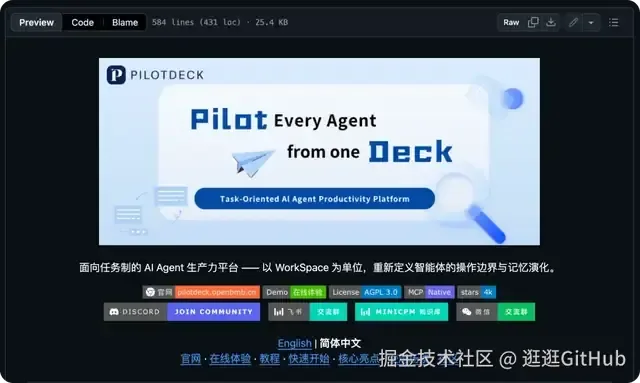
PilotDeck, an open-source AI Agent workbench jointly developed by Tsinghua University’s THUNLP, ModelBest, OpenBMB, and AI9Stars, has released version 2.0. The update shifts its focus from general tasks to everyday office scenarios.
- Version: 2.0
- Price: open-source and free, self-hosted; model usage costs depend on the API key you provide
- How to get it: download the desktop installer from the official website or GitHub Release, or use the one-click install script
- Environment requirements: the script automatically checks for Node.js 22, pulls the code, installs dependencies, and builds the frontend; after it finishes, enter pilotdeck to start, then open http://localhost:3001 in your browser
- Deployment alternative: clone the source and start it with pnpm, or run docker compose up -d –build in an environment with Docker installed
- Weights: what’s open-sourced is the project code, not model weights; it supports multiple model providers and local models, and isn’t tied to any major vendor
First, a definition: an Agent workbench is not a chat box. It gives AI a set of files, memory, and tools so it can work through multiple rounds continuously. PilotDeck is positioned around “tasks,” not single-turn Q&A.
Workspaces, white-box memory, and intelligent routing
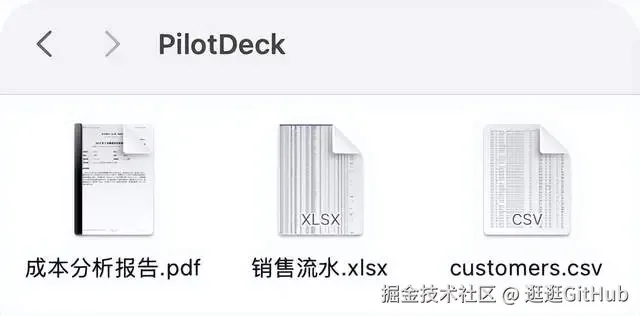
PilotDeck organizes tasks around “WorkSpaces,” each with its own files, memory, and skills. Materials, conversations, and execution history for the same project live in one space, and the Agent reads materials, performs tasks, and stores results there. The original article gives the example of putting a company’s sales transaction records, customer data, and cost analysis report into a local folder; afterward, analysis tasks about that company continue in this workspace.
White-box memory is a relatively rare feature: the entire chain of memory generation, extraction, storage, and use is visible. If something is remembered incorrectly, you can pinpoint the exact memory and edit it directly without starting a new session. It also has a built-in Dream mode that uses idle time to automatically summarize and organize. When multiple projects run in parallel, each workspace’s files, memory, and skills are independent; the original article says there is “no global context pollution.”
Intelligent routing is the cost-saving piece: the primary model handles planning, then delegates work that can be split off to submodels. The original article’s comparison says that using the same model for both primary and submodels costs more than 4x as much as enabling intelligent routing. That number is a bit counterintuitive—many people assume multi-model collaboration means more complex orchestration and higher overhead. The original article also mentions comparative tests of model combinations versus a single model on 7 complex tasks, including multilingual podcast distribution and multi-source data reports, but it doesn’t provide specific figures.
2.0 shifts focus to Word, Excel, and PPT

| Update area | What 2.0 does |
|---|---|
| Office file handling | Optimizes Word, Excel, and PPT workflows, covering everything from reading materials to generating, editing, and reviewing outputs |
| Sustained execution of complex tasks | Improves execution during network fluctuations, overly long outputs, and growing context, reducing full reruns from scratch |
| Matching models to tasks | Uses intelligent routing to assign different work to suitable models and control usage costs |
| Onboarding and follow-up edits | Redesigns first-time setup and improves file upload, output preview, and task adjustments in conversations |
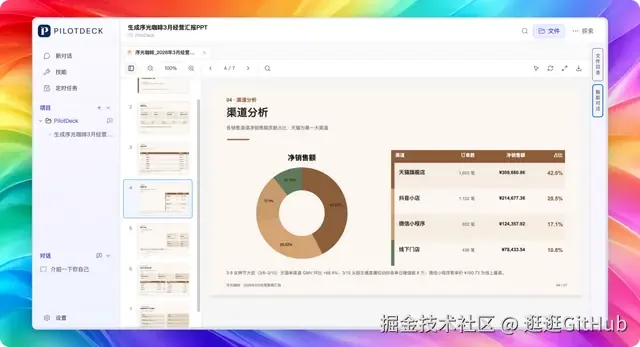
At the Skills level: Word Skill supports comments, tracked changes, and page checks; Excel Skill focuses more on data, formulas, and calculation results; PPT Skill covers content and visual editing, and verifies outputs through structural checks, before-and-after comparisons, and page-by-page rendering, ultimately producing an editable PPT. The original example is to drop in sales transaction records, customer data, and a cost analysis PDF to generate a monthly business data report PPT.
Who should use it, and who should wait
- Good fit: long-running tasks where you revise “the same batch of materials” repeatedly, such as monthly reports, business analysis, and proposals that go through multiple iterations; small teams and developers who care about memory being searchable and editable, or who want to route work of different difficulty to different models to control costs.
- Good fit: people willing to self-host and who want to see the Agent’s execution chain. One install command plus Node.js 22 gets it running, and configuration is stored locally.
- Better to wait: ordinary office users who just want something that works out of the box and don’t want to fill in an API key and configure models themselves; and people who need enterprise-grade permissions, auditing, and compliance—the original article doesn’t cover these.
Final thoughts
PilotDeck 2.0’s direction is clear: pushing the Agent from “can chat” to “can deliver work.” But delivering work depends on controllable memory, resumable tasks, and calculable costs. Its differentiation is not in model capability but in the engineering layer—workspace isolation, white-box memory, and routing/scheduling. These are exactly the problems a Harness (the shell and orchestration layer that hosts and runs an Agent) should solve. As for how much of 2.0’s execution stability will hold up on real office files, that will depend on feedback after more people run it.