
OpenRig: Let Claude and Codex Work as a Team — Your Own Private AI Team, Now Available
OpenRig, whose star count surged by 642 today, is trying to solve an overlooked pain point: as a flood of AI agents pours into everyday workflows, how do they actually organize themselves?
More importantly, it lets the CLI tools from two giants, Claude Code and Codex, stop being lone-wolf terminal programs and instead form a collaborative network with defined roles, shared context, and persistent operation.
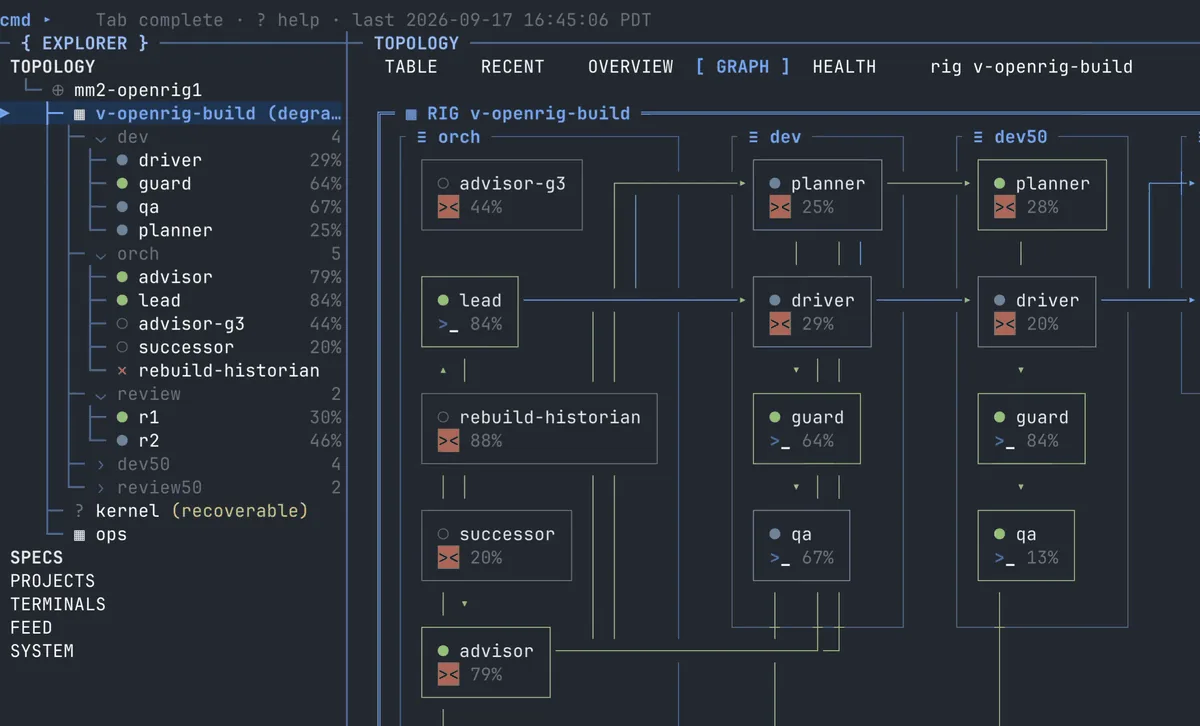
Core Features: Manage AI Agents Like Team Members
Traditional AI coding tools tend to stay busy in their own terminals. OpenRig’s approach is simple: manage agents like people.
- Assign roles to each agent (owner, reviewer, tech lead)
- Define team configuration in a unified YAML file (the “Rig,” meaning a device group/harness group)
- Automatically establish glue sessions and context-sharing mechanisms at startup
- Persist all work records for progress review at any time
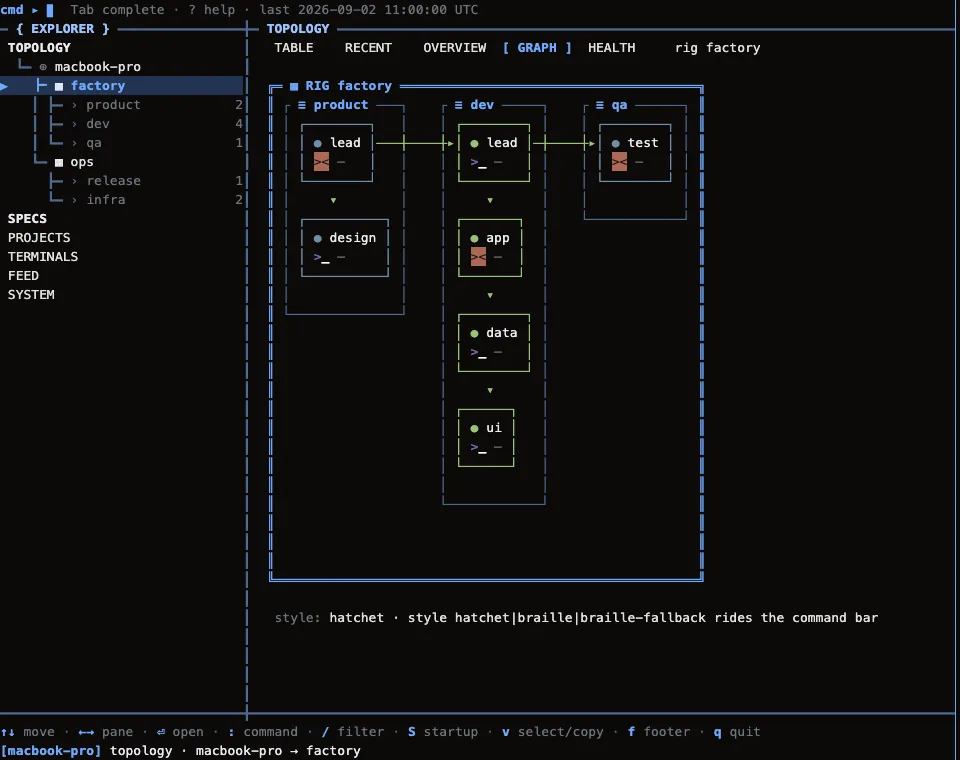
Its interface uses a TUI (terminal user interface) and supports individual or shared-screen viewing modes. After launching with rig tui --shared, the operating status, model, context, and current task of every team member are clearly presented on one screen.
Open the task queue and add tasks at any time. Once the owner receives a goal, they can coordinate other members to complete it together and finally report the result back to you—just like managing a real team.
Get Started in Three Minutes: Define a Team and Launch It
Prerequisites: Node.js 22 or 24 + tmux, macOS or Linux (native Windows is not currently supported).
| |
The full workflow takes about 2–3 minutes. The official project provides three out-of-the-box starter templates (a Claude duo, a Codex duo, and a mixed-role group); choose whichever fits your needs.

Technical Design: tmux as the Stage, SQLite as Memory
OpenRig’s key tradeoff is not reinventing the wheel, but orchestrating it cleverly:
- Runtime foundation: Uses tmux for terminal session management (cross-session communication and state persistence), which is more stable and ecosystem-mature than a homegrown solution
- Data storage: Chooses a local SQLite database, balancing simplicity with transactional integrity (no extra deployment required)
- Hook mechanism: Injects the environment and capabilities OpenRig needs by modifying configurations such as
~/.tmux.confand~/.claude/skills - Trust authorization: Uses native permission systems (such as Claude Code’s workspace.trust) so agents can execute commands in batches without repeated pop-ups
The side effect of this design is that it depends heavily on the host terminal environment, so native Windows is not yet supported. In exchange, it is lightweight, easy to debug, and auditable.
Who It’s For: Technical Teams and Individual Explorers
- Independent developers: Want multiple AI models to collaborate without building an entire microservices system
- Small-team experiments: Test mixed workflows between Claude Code and Codex and validate role-division patterns
- Researchers: Want to reproduce the underlying logic of multi-agent conversation, task tracking, role coordination, and similar scenarios
There is currently no true competitor in this space. CrewAI, Autogen, and similar projects focus on the Python ecosystem and cloud deployment, while OpenRig focuses on collaborative orchestration of CLI tools—they play in different lanes.
Closing Thoughts
As AI agents progress from “going solo” to “team collaboration,” they come closer to the essence of human cooperation. OpenRig offers a pragmatic path: instead of overturning existing workflows, it uses configuration files and the command line to weave existing tools into an organized network—a lightweight new paradigm for agent orchestration in the open-source world.
Project homepage: https://openrig.dev Official walkthrough: https://openrig.dev/follow