
Meta officially open-sources Muse AI-related code, opens hardware-building permissions
- Meta has open-sourced the complete development code and SDK for Muse AI Agent, allowing individual users to build customized smart devices themselves
- Supports mainstream development platforms: ESP32 development boards, Raspberry Pi, and more
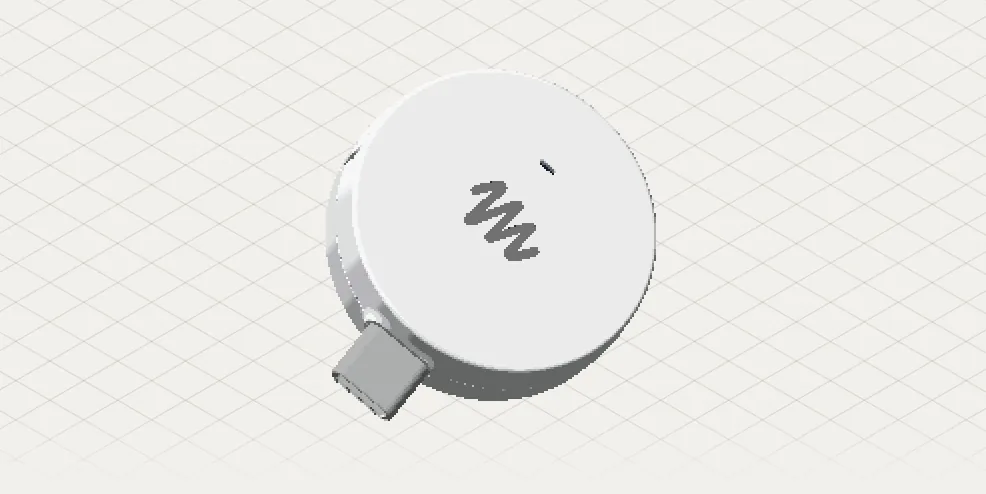
- Meta is also providing an official hardware reference design—Muse Home Link. The first batch is limited to 5,000 units, with applications expected to open later this month
- Muse Home Link supports expanded functionality through community skills (such as controlling lights, TVs, printers, etc.), but users must configure the environment themselves
- The open-source project is still in its early stages, and Meta explicitly warns: “Proceed at your own risk!”
Hardware Freedom: From Open-Source Code to DIY Devices

Muse is Meta’s latest AI agent, and the key to making its hardware EVERGREEN this time lies in an open-source strategy: Meta has released Muse’s core code and software development kit (SDK) to the developer community as open source. An AI agent is a software program with independent perception, reasoning, and action capabilities that can understand natural-language instructions and drive physical devices.
Users can deploy Muse on the following devices using the open-source code:
- ESP32 development boards: a cost-effective, widely used low-cost microcontroller
- Raspberry Pi: a common single-board computer suitable for projects of moderate complexity
- Custom hardware combinations: supports connecting displays, buttons, sensors, actuators, and other peripherals
Meta emphasized in its statement that Muse gadgets are “open-source devices assembled by users themselves,” and users can integrate idle hardware components on their workbench for further development. This design lowers the barrier to deploying AI agents and returns hardware control to end users.
This strategy stands in sharp contrast to the closed-source, cloud-service-dominated model of current mainstream foundation-model companies: Meta does not require users to subscribe to a specific service or use a designated hardware model, but instead uses open source to drive ecosystem expansion.
Muse Home Link: A Limited-Release Official Reference Design

In addition to the open-source code, Meta has also launched Muse Home Link—a hardware reference device made in-house by the company. According to information released by Nat Friedman of Meta Superintelligence Labs, the first production run is 5,000 units. Interest registration for the device is now open, and shipping is expected to begin later this month.
Muse Home Link’s functionality depends on the community ecosystem: users can expand its capabilities by installing “skills” developed by community members, for example:
- Controlling lighting systems: turn lights on/off or adjust them remotely
- TV remote control: integrate HDMI-CEC or infrared commands
- Document printing tasks: send documents to a specified printer
- Other scene integrations: extend functionality based on the user’s home automation configuration
It is worth noting that Muse Home Link is a reference design rather than a closed product, and its core is still based on the open-source Muse code, meaning users can modify and further develop it in the same way.
Actionable Options for Users: Choose a Technical Path Based on Your Needs
| Hardware Platform | Target Users | Technical Barrier | Recommended Uses |
|---|---|---|---|
| ESP32 development board | Avid DIYers, embedded developers | ★★★☆☆ | Prototyping, E-Ink display reminders, small button terminals |
| Raspberry Pi | Hobbyists with Linux experience | ★★★★☆ | Large-screen displays, multi-device control hubs |
| Muse Home Link | People who want to try it quickly, people who don’t want to tinker | ★☆☆☆☆ | Quickly deploy home-scenario skill demos |
| Custom assemblies | Creative experimenters | ★★★★★ | Custom Muse Charm, special industrial interface devices |
Among these, an E-Ink color display solution is suitable for making low-power reminder devices; connecting an HDMIStick can display the AI interaction interface on a large TV screen; and a small touchscreen + 3D-printed enclosure combination can recreate the “Muse Charm” concept prototype mentioned in the article—a personalized AI assistant that can be worn or placed on a desktop.
Practical Advice for Readers

- Who should try it now: Those with basic Linux or embedded development