
Juejin developer community’s AI usage statistics tool Juejin Usage has released v0.1.14. This update further improves the “subscription quota” display: not only does it show how many Tokens have been used, but also how much quota remains in the pool and when it resets.
Quick facts at a glance:
- Version: v0.1.14
- Price: Source material does not mention pricing information; the command-line version is distributed as the npm package
@juejin-opensource/jusage - When available: macOS and Windows users can now download the v0.1.14 client directly; Linux users and those who prefer the command line can use the CLI immediately
- Platform and prerequisites: The CLI requires Node.js ≥ 20
- Data storage: Kept local by default; cloud sync must be actively enabled by the user
One dashboard, three things to manage

Token is the unit of measurement for text processed by a model; both input and output are billed or deducted from quota based on it, so “how many Tokens were used” is almost equivalent to the bill itself. Juejin Usage turns this number into a visual dashboard, bringing Token usage, usage trends, and model distribution together in one place. It can answer questions like “which model do I use the most?"—questions that used to require digging through several backends to piece together.
Multi-device aggregation takes the account route: you can optionally sign in to a Juejin account, and after enabling sync, usage from multiple devices is merged into a single table. The tool also integrates with the Juejin AI usage leaderboard, so you can check your own usage ranking.
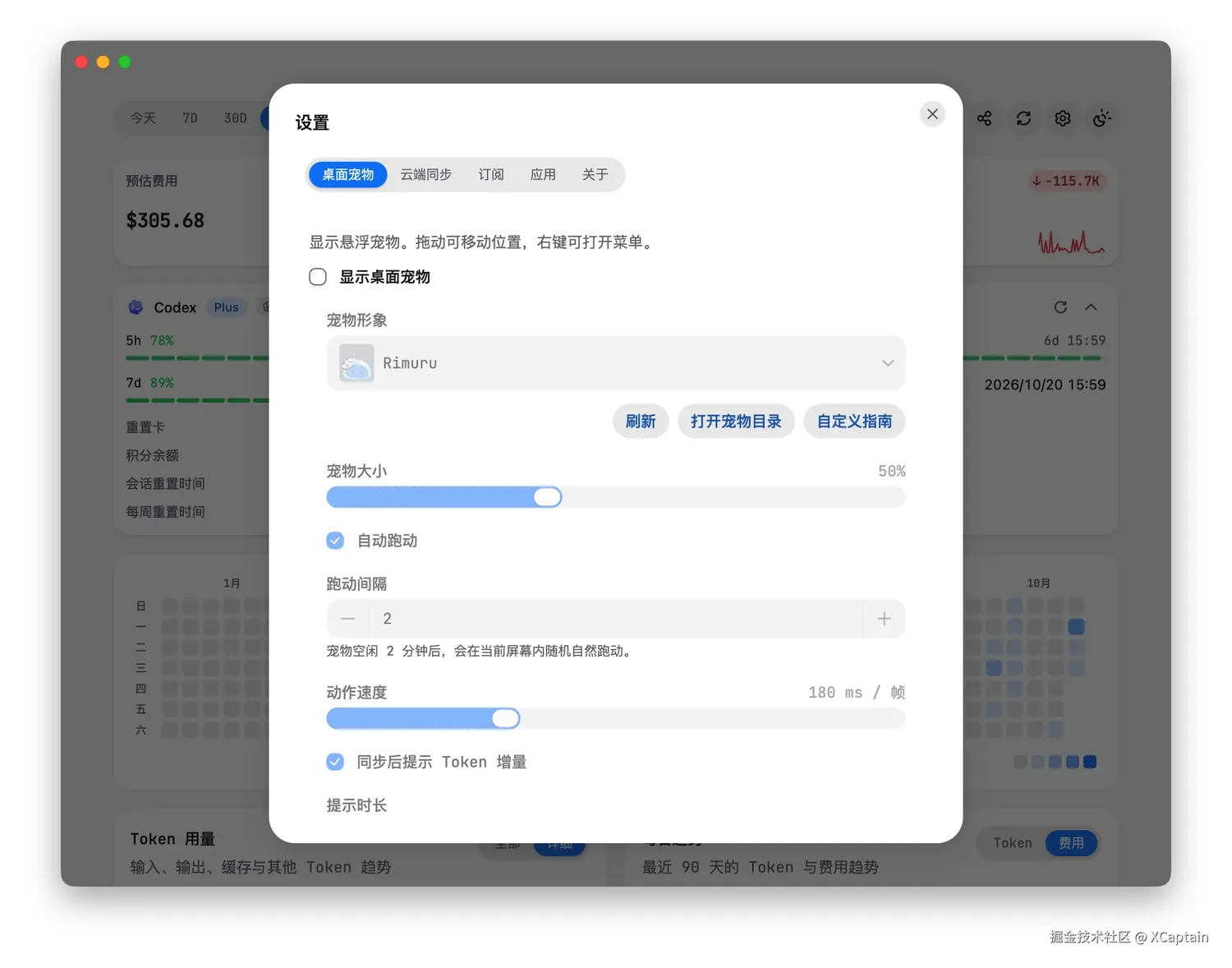
The unexpected part is that a dashboard themed around “see usage clearly, keep an eye on quota” comes with three built-in desktop pets—Click, Yoyo, and Hawking—and also supports downloading community pets and importing custom animation packs. The stats panel is about efficiency, while desktop pets are about companionship; cramming both into the same client suggests this kind of tool is trying to find relevance by becoming something you keep running every day. Another mismatch worth noting: cross-device aggregation requires signing in to a Juejin account, while standalone statistics can actually be fully closed-loop locally—sync is optional, but if you want data from multiple devices to converge, an account is the only way.
Subscription quotas and privacy stance in v0.1.14
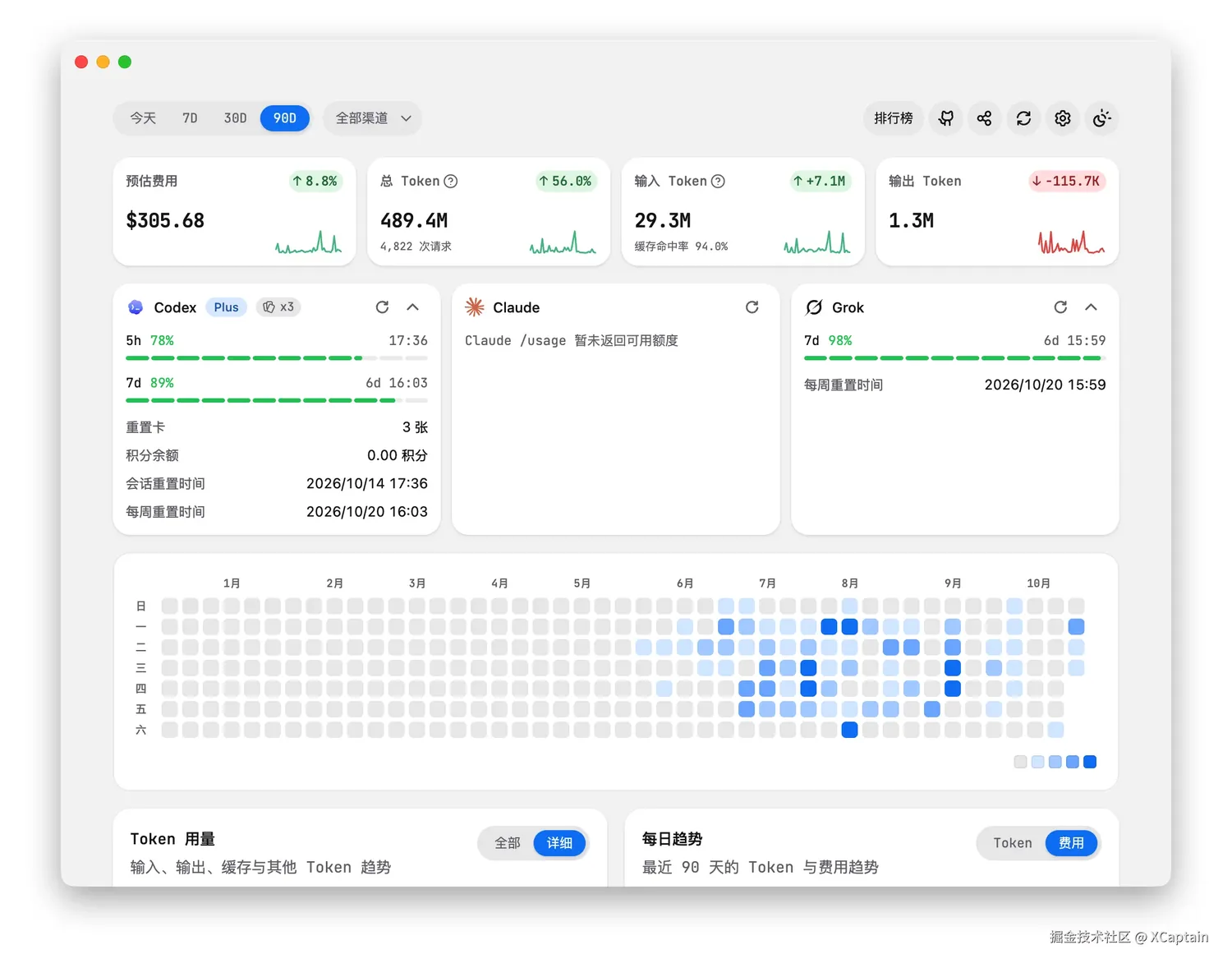
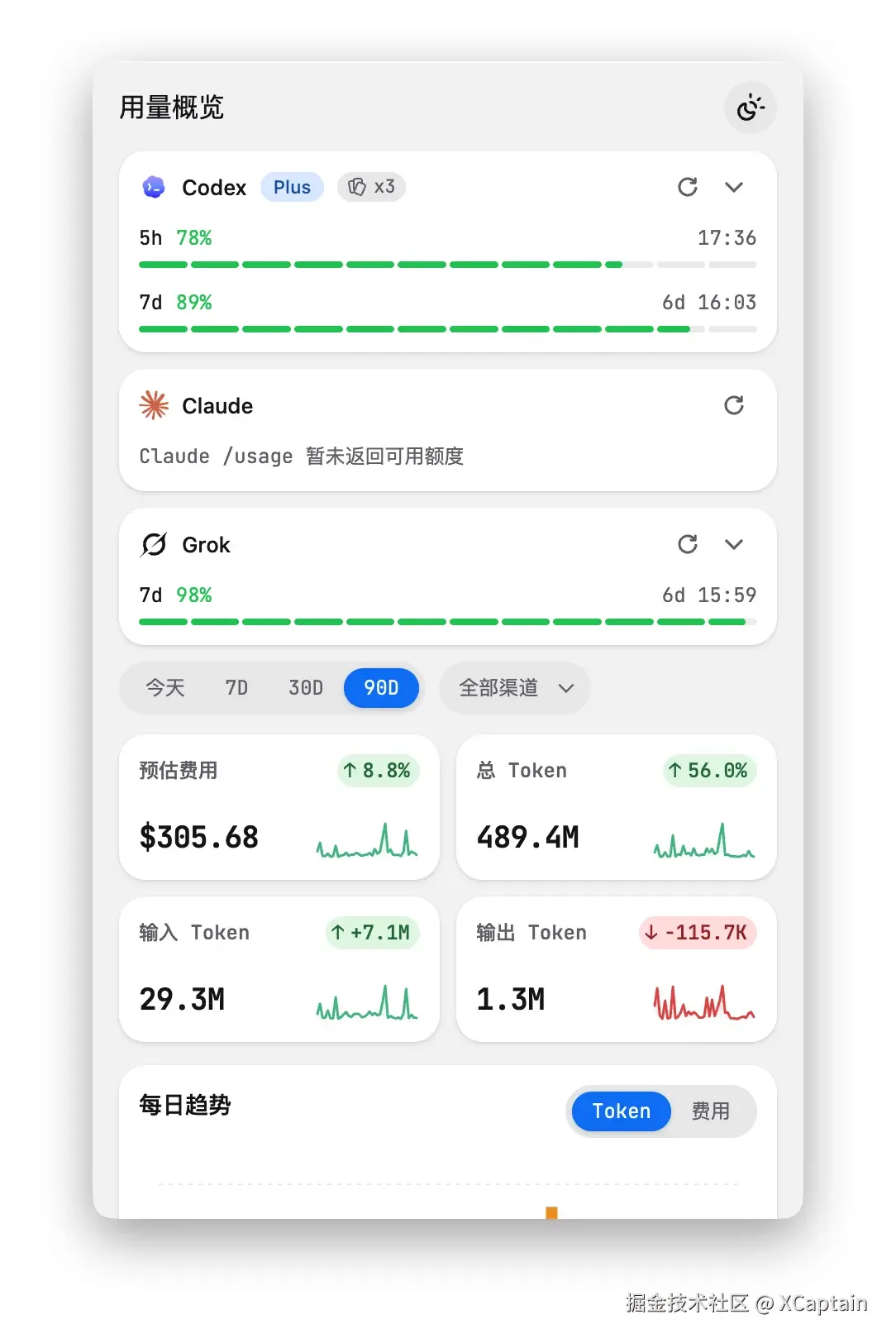
This version fleshes out subscription information: quota cards support manual refresh and expanding details, and after expansion you can see the reset time, subscription tier, and balance for each quota pool. On the merge and integration side, two things were done—Kimi desktop and Kimi Code now share one subscription card; usage collection for TeleAgent and KinetAios has been added. The fixes address the issue where Codex and Claude subscription quotas could not be displayed.
The privacy statement is relatively clear: according to the project’s privacy statement, it does not collect conversation content, Prompts, project names, hostnames, or API Keys; cloud sync must be actively enabled, and only desensitized Token counts and anonymous device identifiers are reported.
Two ways to use it compared
| Aspect | Desktop client | Command-line CLI |
|---|---|---|
| Platforms | macOS, Windows | Linux or command-line preference |
| How to get | Download the v0.1.14 client | npm i -g @juejin-opensource/jusage |
| Prerequisites | Not mentioned | Node.js ≥ 20 |
| Launch | Launch directly; on first run it automatically tries to register Claude/Codex Hook | jusage service start |
| Where to view | Client interface | http://127.0.0.1:8452 |
Hook in the table refers to a hook attached to the client, used to passively read local usage records; on first launch, the tool automatically tries to register for Claude and Codex and sync existing data.
Who should use it, and who should wait
- Good fit: Developers who run coding agents like Claude Code and Codex on multiple devices at the same time and hold multiple quota pools (for example, using both Kimi desktop and Kimi Code). The subscription card lays out reset times and balances, reducing the “I only found out after running out of quota” situations.
- Good fit: People who first want to figure out which model they’re spending Tokens on. Trends and model distribution are the starting point for cost observability.
- Can wait: Users who write on only a single device with a single tool and don’t plan to sign in for sync will see limited incremental value for now. Also, although Linux desktop users don’t have a native client, after starting the CLI they can open 127.0.0.1:8452 in a browser to use the local dashboard—so it doesn’t mean there’s no interface.
Final thoughts
Usage and quotas are becoming a basic observability item in AI coding workflows. Whoever can make it unobtrusive yet always available for checking will more easily stay on the desktop long term. Juejin Usage chooses local-first with optional sync, a restrained and sensible trade-off. The desktop pet part feels more like a bet on whether users are willing to glance at the dashboard one more time each day.