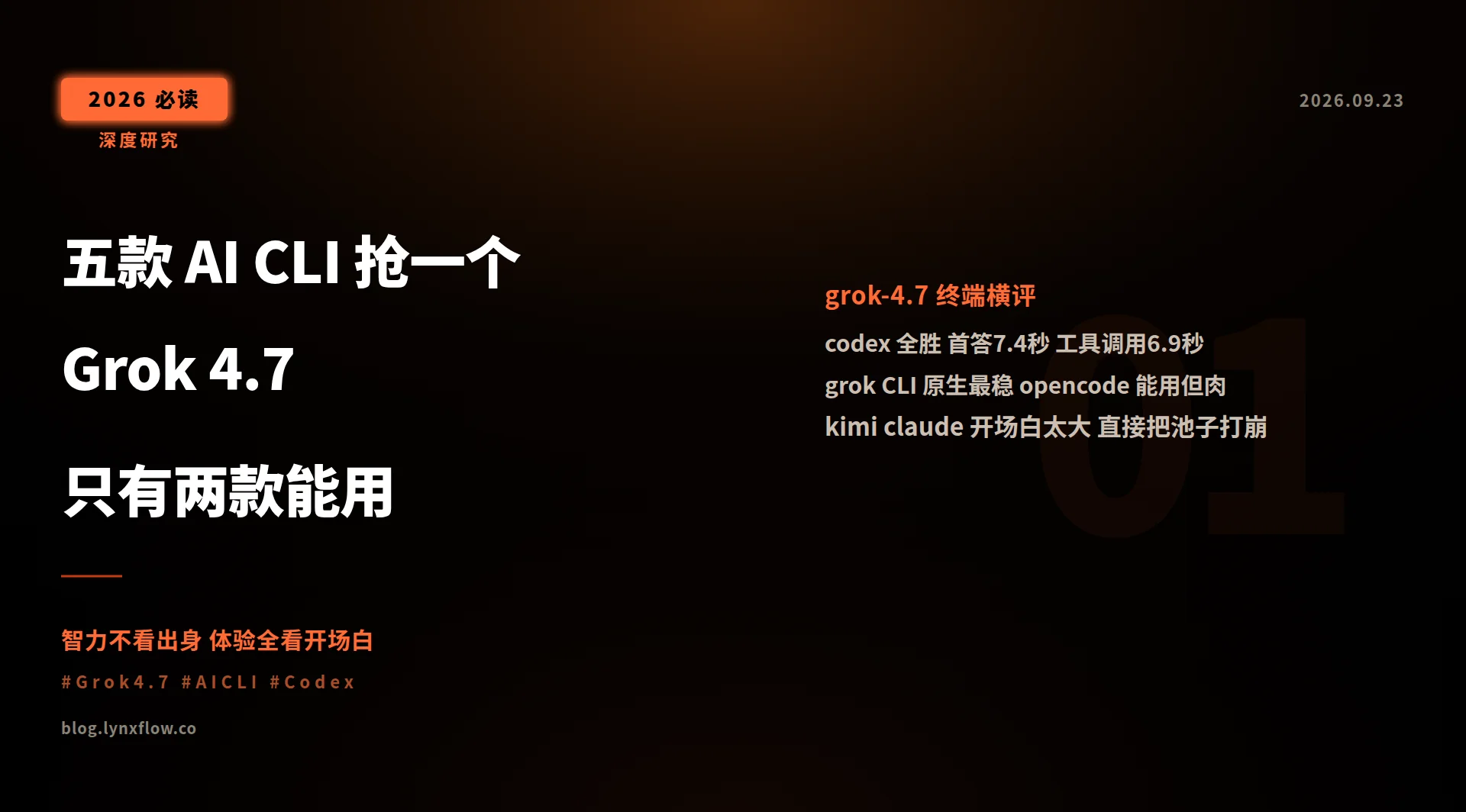
Bottom line: use codex. It answered in 7.4s, aced all reasoning questions, and finished a tool-calling task in 6.9s — best in every category. The official grok CLI is a stable runner-up. Kimi Code and Claude Code fall over the moment you wire them directly to Grok 4.7 — their injected system prompts are too large for a web-account-pool backend to survive. (Update: fixed at the proxy layer the same night this post went live — both now work. See the follow-up section at the end.)
Why this benchmark
I run a self-hosted Grok 4.7 endpoint (OpenAI-compatible, behind a self-hosted LLM gateway for routing). The model is solid, but “which terminal feels best with it” had always been guesswork. Terminal experience doesn’t come from the model — the same model can feel silky in one shell and brain-dead in another. So I stopped guessing and measured.
The five contestants, all installed on my machine: codex CLI (OpenAI), grok CLI (xAI official), opencode, Kimi Code, and Claude Code (Anthropic).
Methodology: four events, controlled variables
Every terminal went through the same gateway, same model, same time window, identical prompts:
- Latency: “Reply with exactly two characters: received” — total wall time (including CLI startup, because that’s what users actually feel).
- Reasoning: three questions with ground-truth answers — which is bigger (9.11 or 9.9), a one-line linear equation, and completing a famous Tang poem line. This doesn’t measure model ceiling; it measures whether the terminal’s system prompt confuses the model.
- Tool calling: create hello.txt and
catit back — does the agent loop complete? - Compatibility: streaming behavior, error handling, protocol fit — everything noteworthy.
Scoreboard
| Terminal | Short answer | Reasoning (3 Qs) | Tool calling | Verdict |
|---|---|---|---|---|
| codex | 7.4s | 3/3 | ✅ 6.9s | Champion, fastest everywhere |
| grok CLI | 14.2s | 3/3 | ✅ 5.0s (fastest single) | Native fit, rock solid |
| opencode | 14.1s | 3/3 | ✅ but 120s | Works, painfully slow loop |
| Kimi Code | ❌ infinite loop | 0/3 | — | Incompatible |
| Claude Code | ❌ hard error | — | — | Incompatible |
All three working terminals scored full marks on reasoning — confirming once again: same model, same intelligence. The difference is entirely in the shell wrapped around it.
Key finding: system-prompt size decides life and death
Why did Kimi Code and Claude Code fail outright? Look inside the envelopes:
- Kimi Code sends a 224 KB system prompt per request. The model fell into a degenerate loop, repeating “ignore this sentence again” hundreds of times until the timeout. In an earlier attempt the same pool got exhausted, and the CLI retried the 503 silently forever — four minutes without a peep.
- Claude Code is worse: 297 KB. The upstream threw an “internal error during token generation,” and the backend watchdog restarted the proxy mid-test.
- codex’s system prompt is roughly 13K tokens — the pool barely noticed.
The rule is simple: lightweight backends like web account pools can only digest small system prompts. The bigger the injected preamble, the dizzier the model and the likelier the backend falls over. grok CLI ships the smallest prompt (its own model, its own rules), so it’s always stable. codex is well-behaved too. opencode sits in the middle. Kimi and Claude were designed around their own flagship models — their prompt budgets live in a different weight class.
Nuances among the three that work
- codex (7.4s): fast startup, fast answers, clean tool chain. Newer codex versions dropped the chat-completions wire format and only speak the Responses API — luckily my gateway translates Responses into chat completions upstream, which accidentally made it the smoothest option.
- grok CLI (14.2s): the cost is Node startup and initialization, but once warm it posted the fastest tool-calling time (5.0s) — the home team knows its model’s quirks best. For heavy agent work it’s effectively tied with codex.
- opencode (14.1s / tools 120s): everything passes, but the tool loop is glacial — two minutes to create one file. Fine for Q&A, wrong choice for agentic work.
Three traps I hit along the way
- Claude Code validates model names: anything not starting with “claude” is rejected before a single byte leaves your machine.
- A gateway model alias is a rename, not an alias: I set one to sneak past the check above, and the original model name vanished from the gateway instantly — live clients started getting 400s. Rolled back in seconds.
- Kimi Code retries 503s silently, forever: no message, no backoff indicator. A landmine when your backend is flaky.
Wiring up codex (copy-paste ready)
| |
Key points: modern codex only speaks the Responses API (your gateway must translate); --skip-git-repo-check lets it run outside git repos; redirect stdin or it will sit there waiting for input.
Limitations
Single backend, single time window, small question set; the account pool had other live traffic, so treat latency numbers as ranges, not absolutes. But the core conclusion — system-prompt size determines compatibility — held across every rerun.
Follow-up: I fixed them the night this post shipped
After publishing, I couldn’t help myself — I went and fixed every issue the benchmark exposed. All changes live in my own proxy layer; the terminals themselves were untouched. Same-night retest: Kimi Code and Claude Code both hold normal conversations now.
- System-prompt truncation at the proxy: if a request’s combined system prompt exceeds 12,000 characters, keep the head (identity and core rules live there), cut the tail, and tag it as truncated. With Kimi Code’s preamble compressed, the degenerate loop vanished and it answered questions normally.
- A 4MB request-body cap: anything bigger gets a flat 413. No runaway terminal gets to knock the account pool into a watchdog restart ever again.
- Claude Code’s hang had a sneakier culprit than the giant preamble. Packet capture showed the model was answering “received” every round — but it bolted a tool call onto every reply; the terminal executed it, sent the result back, and the model answered-and-called again. Twelve rounds in, the message count had grown from 2 to 35: an infinite loop. The root cause was an old piece of my own proxy logic that unconditionally forced the model to always call a tool (originally added to stop it from going idle mid-task) — it was forcing tool calls even on first-turn plain answers. Now: first turns stay free-form, only mid-task requests get the forced tool call, plus a circuit breaker — the same tool call repeated 4 times gets the tools stripped and forces a text-only finish.
- Kimi Code’s silent 503 stall, fixed: an official config knob (“max attempts per step,” default 10 with a 60-second wait each) was the whole mystery. I set it to 3 — next time the backend flakes, it errors within a minute instead of hanging silently for four.
Post-fix report card: Kimi Code chats normally. Claude Code exits cleanly in 13.7s on short answers, and an agentic read-this-file task ran end to end — the only leftover quirk is the model repeating the file’s contents a thousand-odd times in its final answer, which is Grok 4.7’s own repetition habit, not infrastructure.
So one half-sentence of the original verdict needs amending: these two terminals were never physically incapable of running Grok 4.7 — they just can’t do it bare-metal. Put a proxy that slims and brakes in front of the backend, and all five terminals work. My advice stands though: daily-drive codex. “Runs” and “runs reliably” are different things.
Closing thought
I used to pick terminals by feature lists. Now I pick them by system-prompt budget. Especially against a small self-hosted backend, what a terminal stuffs into your request matters a hundred times more than how pretty its UI is. Open your own terminal’s request log sometime — those few hundred KB of preamble might be exactly why you’re slow and over budget.