
A Local Coding Agent Goes Open Source: You Need to Be Able to Check What the Model “Saw”

On October 19, 2026, developer “飞哥AI实战笔记” published Figo Agent on 稀土掘金—a local Coding Agent written from scratch with Codex, with the public repository hosted on Gitee (gitee.com/hfqf1234/figo-agent).
- Form: CLI/REPL, a local web workbench, and an Electron desktop shell, all sharing the same core
- Models: Supports MiniMax, DeepSeek, official GPT endpoints, and relay endpoints; default models and custom prompts are switchable
- Tools: File read/write, Shell, Git, network, and browser, with parameter validation, Policy, timeouts, and execution traces
- Storage: SQLite as the source of state, plus JSONL audit logs and Chinese Markdown reports
- Availability: Self-deployment requires Node.js, npm, and model API configuration; the desktop app is only an unsigned macOS arm64 internal build and is not publicly released
- Boundaries: Intended for personal use and research on trusted local machines; not suitable for multi-tenant enterprise platforms or unattended, fully autonomous development
What Exactly “Seeing Clearly” Reveals
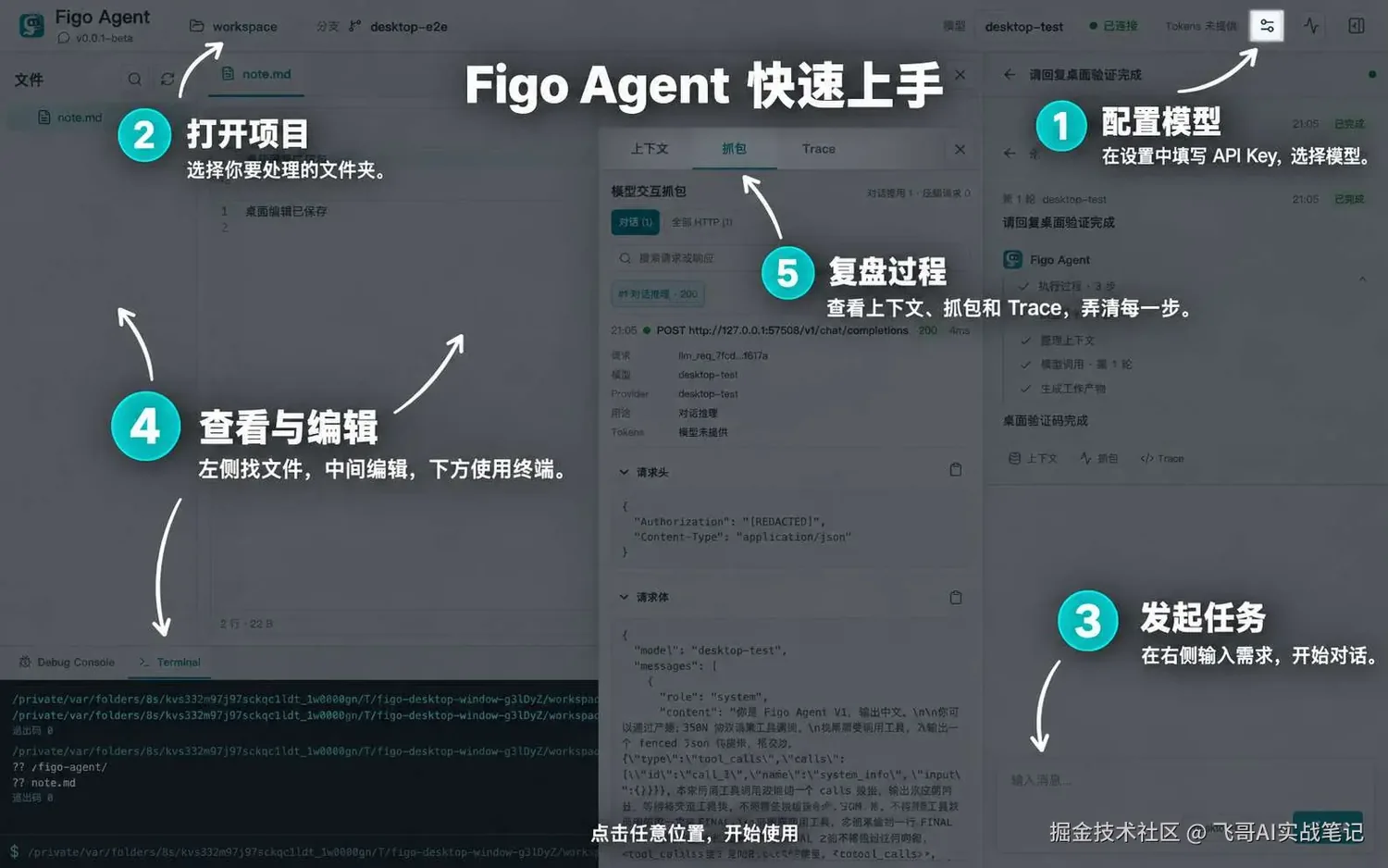
The author’s starting point was simple: when using AI to run development tasks, which materials it read, whether tools actually executed, how many model calls a single prompt triggered, and what remains in context as the conversation grows—if you only look at the final answer, all of this is guesswork.
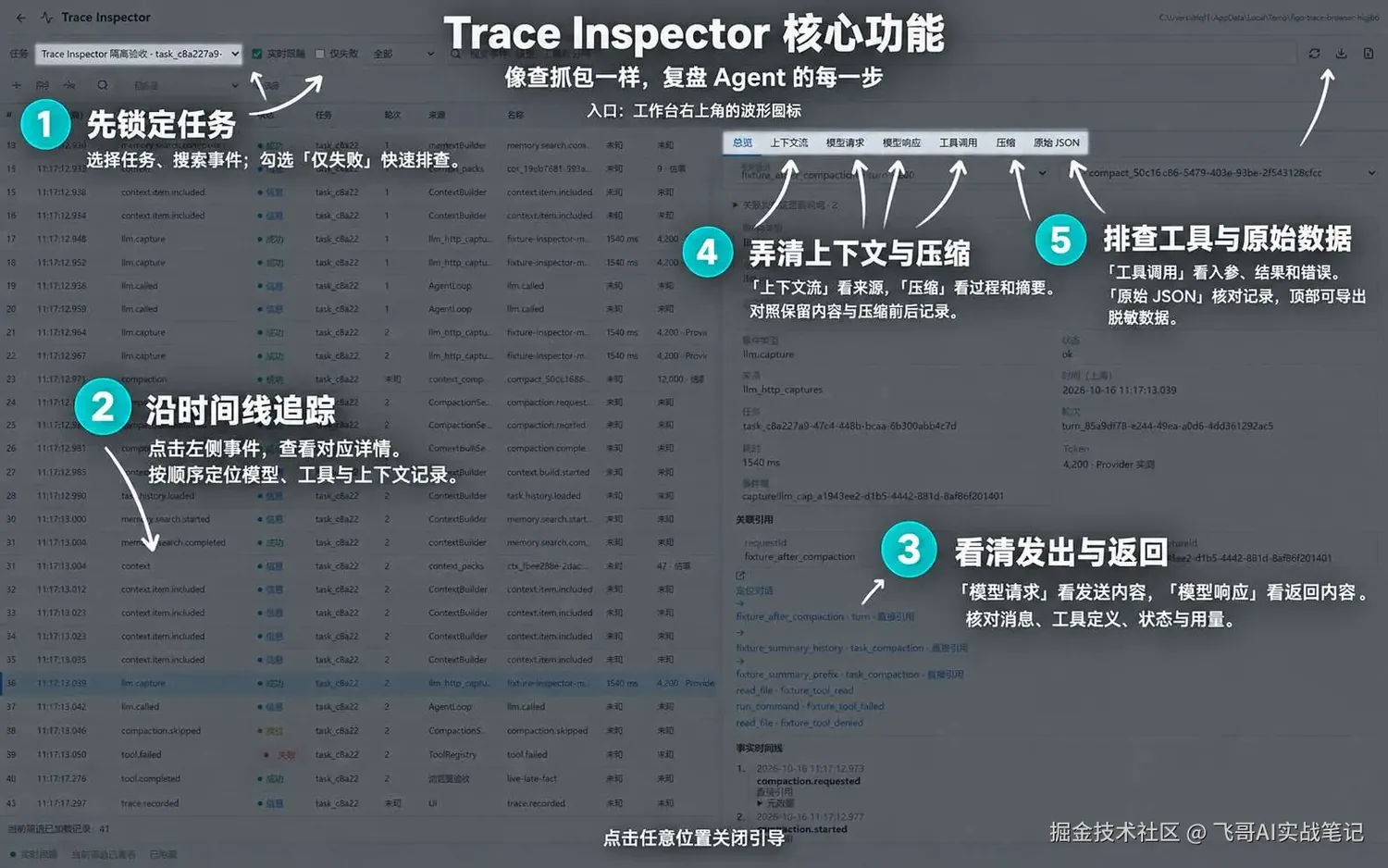
Figo Agent’s answer is an inspector called Trace Inspector, which the author likens to packet capture: it lets you view model requests, responses, tool calls, context, and compaction by task and timeline. It provides seven tabs, including raw JSON, pagination, read-only queries, and redacted export. The workbench links context sources, token usage, and specific requests together: clicking a file only means “a human looked at it”; only an explicit reference that has been validated and selected counts as model input. The UI deliberately presents “browsed,” “prepared,” and “actually sent” separately.
Tokens are also split into two measures: input/output/total for a single request, and cumulative consumption for the entire task. The article notes that a shorter request does not mean the earlier calls and summarization overhead have disappeared—context size estimates and actual usage returned by the API are labeled separately, and when the model does not provide usage, it shows “unknown.” Currently only tokens are counted; no price conversion is performed.
There is also a contrast here: message-level compaction is listed as a delivered capability—when a long conversation approaches the limit, earlier content is summarized and recent original text is retained at safe cut points, and the compaction inspector shows the trigger reason, summary content, which messages were covered, and the retention boundary. But the author states that summarization itself consumes tokens and may be lossy; “whether it is faster and cheaper requires measuring the summary together with subsequent calls,” and capacity and net benefit remain to be verified.
15 Delivered, 12 Unfinished
The article uses two status tables to draw clear boundaries; merged, they look like this:
| Area | Delivered | Not completed |
|---|---|---|
| Task closed loop | Multi-turn Task, tool-call loop, failure and stop handling | Goal state, Verifier build/test validation |
| Execution governance | Parameter validation, Policy, timeouts, execution traces | Permission profile, tool dry-run, failure replay |
| Memory and methods | Stable memory reads, built-in Skill | Memory candidate ingestion, dynamic plugins, long-term memory governance |
| Cost | Request-level token usage and Session/Task/Turn summaries | Pricing and cost reports, per-Tool/Skill usage attribution |
| Desktop distribution | macOS arm64 internal build; Windows NSIS installer generated | Code signing and notarization, upgrade rollback, Windows real-device acceptance testing |
| Future versions | Small kernel, CLI, Web workbench, Trace Inspector | MCP, external knowledge base, multi-Skill orchestration, and multi-Agent |
The architecture follows a “shared kernel, no duplicated execution logic” approach: entry points (CLI/Web/Electron) → AgentKernel (assembly and lifecycle) → AgentLoop (single-turn orchestration) → PluginHost/Registry (capability registration). Context is organized as Session → Task → Turn → ContextPack → LLMCall; a single Turn can contain multiple real model calls, and each call is the basic unit for packet capture and usage. The author repeatedly stresses that Task does not equal Goal: the former only answers “what topic do these conversations belong to?” and does not perform completion validation.
Who Should Use It—and Who Should Wait
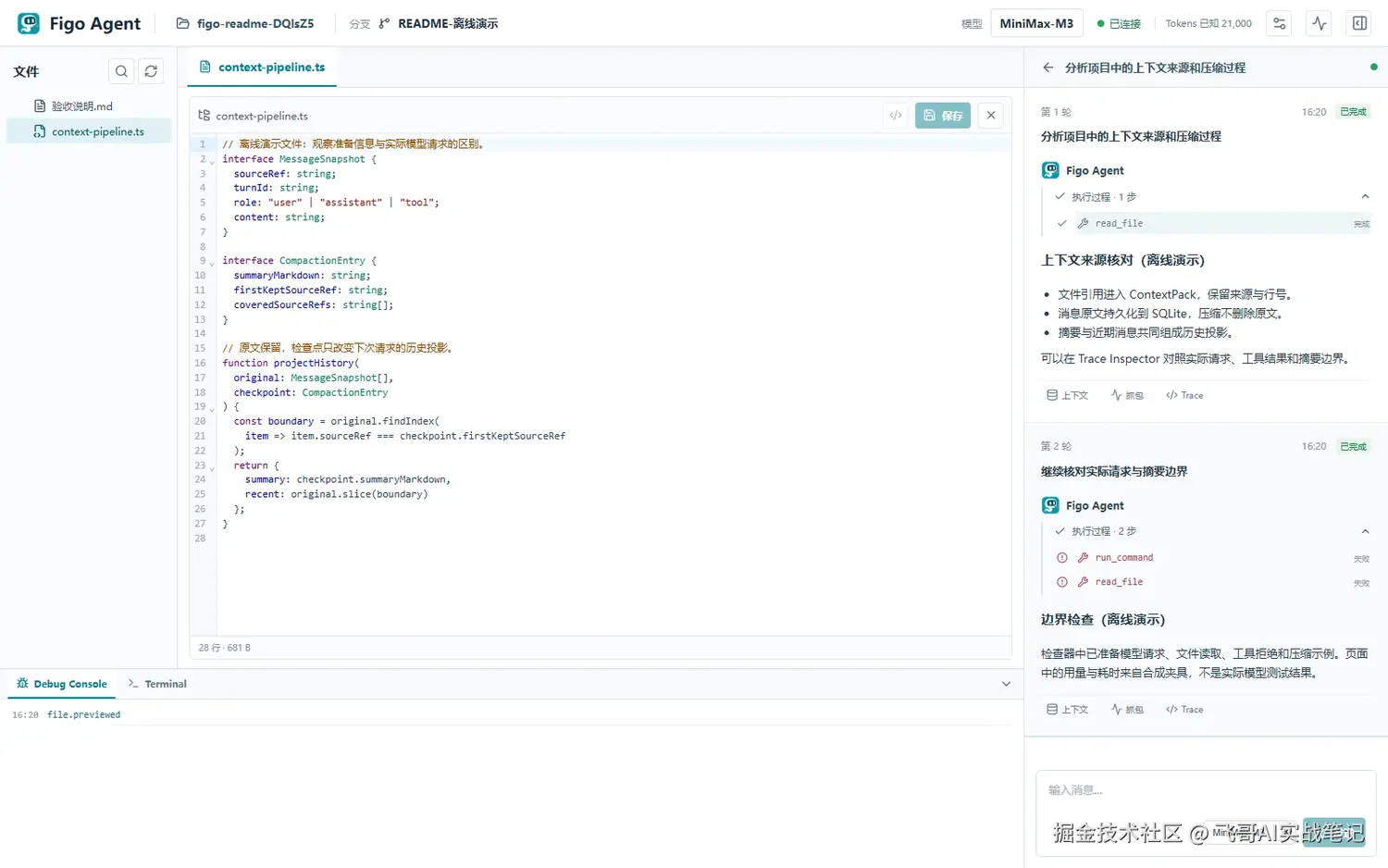
- Try it now: developers who want to understand the Agent’s internals and are willing to study the source code; and anyone who needs to review what a local Agent has read, what it ran, and where tokens were spent—the Chinese labels and request details let product, QA, and technical writers inspect it without reading the source first.
- Better to wait: users who need a signed installer, automatic updates, or Linux/Intel Mac support; those who want to use it as a multi-tenant enterprise platform or for unattended automation; teams that care about cost reports and per-tool cost allocation.
Final Thoughts
Figo Agent’s significance is not how fast it runs, but that it turns “what the model read, what it called, and how much it spent” into queryable facts. Compaction gains, cost attribution, and desktop distribution still leave gaps; the author’s strategy is “use it in practice first, then optimize based on feedback.” For anyone preparing to build their own Agent, this public record—with source code, status tables, and a list of unfinished work—is more valuable as a reference than a polished demo.