
Opening
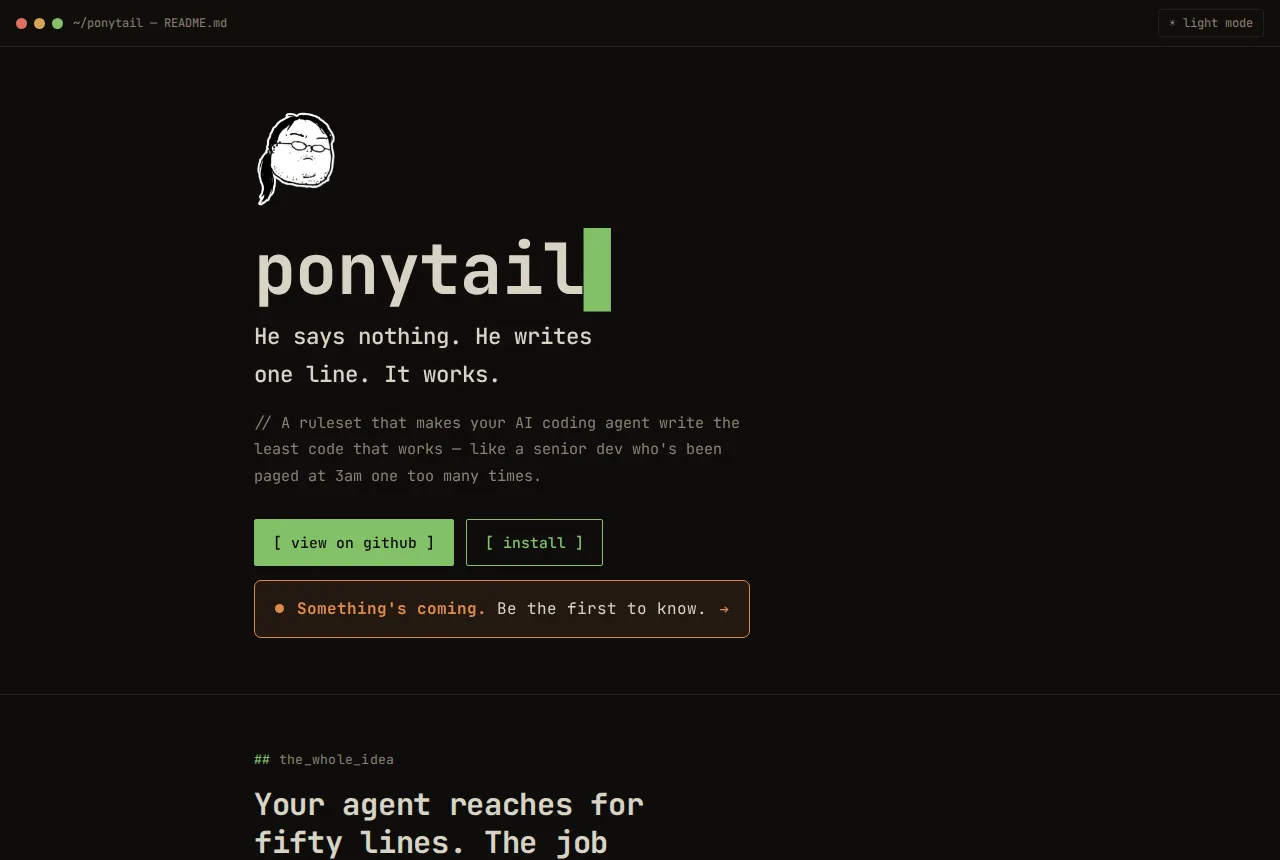
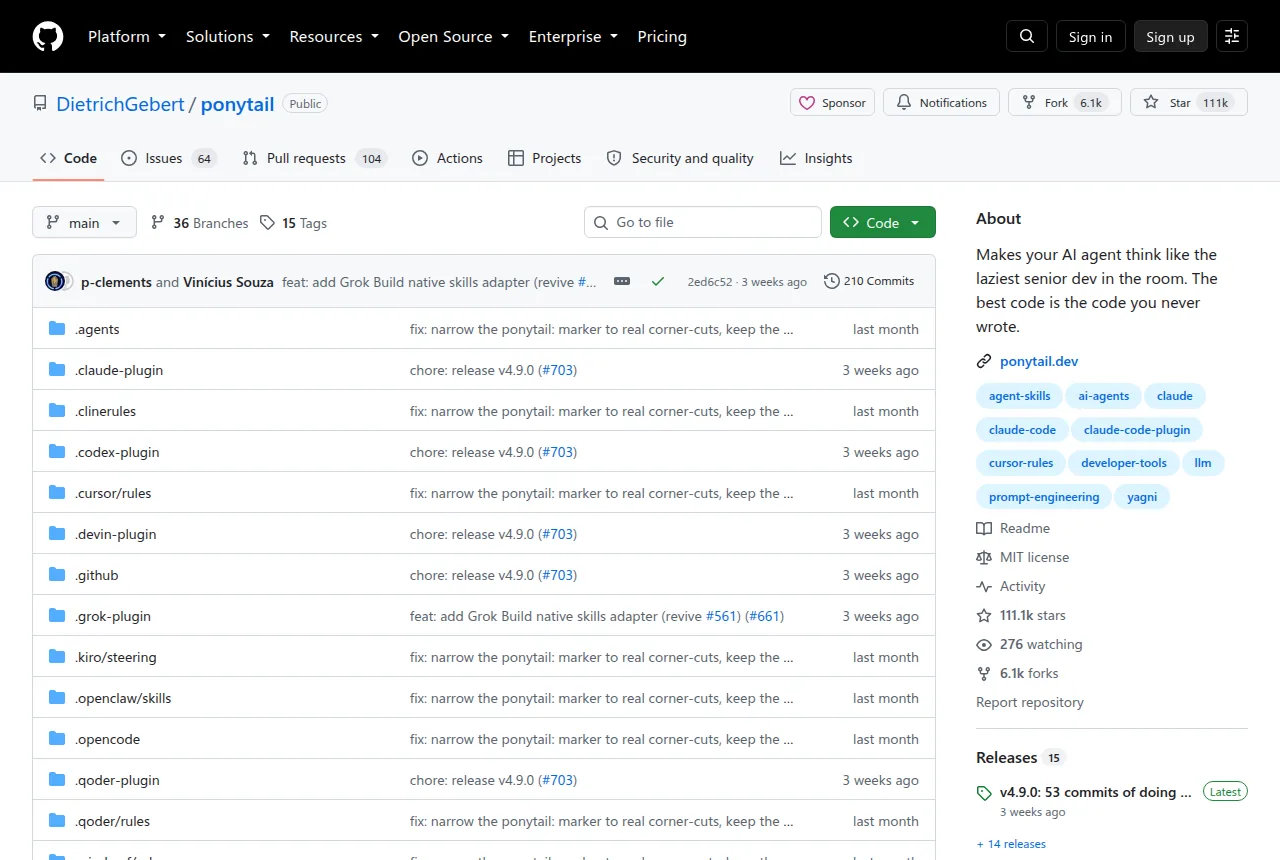
Today on the GitHub trending page, a repository called Ponytail quietly climbed to the top ranks. It’s written in JavaScript, yet it isn’t about tech stacks, frameworks, or low-level principles—it talks about “code philosophy.” This project, with over 110k stars, attempts to answer a long-forgotten question: when AI agents write code for us, how many lines of code do we actually need?
In an era where AI coding tools are everywhere and code volumes keep ballooning, Ponytail goes against the grain. It doesn’t teach you to write more—it teaches you the art of not writing.
Core Feature: The Seven-Step Ladder for Senior Developers
Ponytail isn’t a code generator; it’s a “code filter.” Its author, DietrichGebert, designed a seven-step ladder-style decision tree:
- Does this feature really need to exist? — If not, skip it (practicing the YAGNI principle)
- Does it already exist in the codebase? — Reuse it; don’t reinvent the wheel
- Can the standard library handle it? — Use the standard library directly
- Can native platform features satisfy the requirement? — Prioritize native functionality
- Can already-installed dependencies solve it? — Leverage existing dependencies
- Can it be solved with a single line of code? — Write one line, not ten
- Only as a last resort: write the minimum amount of code that works
This logic kicks in silently before AI generates any code, like a seasoned old programmer standing on the shoulder of your AI agent, whispering: “Hold on—you don’t actually need to write this.”
For Example
When an AI agent receives the task “add a date picker”:
- Normal scenario: install the flatpickr library, write a wrapper component, import stylesheets, debate timezone handling… easily dozens of lines
- With Ponytail:
1<input type="date">
That’s it. One line. The browser supports it natively—why install a library?
Another classic scenario is the color picker. Traditional approaches might run 287 lines, but with Ponytail’s mindset it drops to just 23. No gimmick here—it’s simply returning to the fact that browsers have a native <input type="color">.
Getting Started
Ponytail integrates with various AI coding tools as a plugin, and installation is extremely lightweight:
Claude Code users:
1
2
/plugin marketplace add DietrichGebert/ponytail /plugin install ponytail@ponytailCodex users:
1
2
codex plugin marketplace add DietrichGebert/ponytail codex plugin add ponytail@ponytailCopilot CLI users:
1
2
copilot plugin marketplace add DietrichGebert/ponytail copilot plugin install ponytail@ponytailPi/OpenCode users: Just run the corresponding installation command directly.
Once installed, the plugin automatically runs the seven-step ladder check before every AI code generation—no extra configuration needed. You can even manually trigger Ponytail’s specific mode:
| |
Technical Highlights: Not Less Code, but Wiser Code
The most thought-provoking aspect of Ponytail’s design is that its “laziness” has boundaries. The author repeatedly emphasizes: “Lazy, not negligent.”
This means:
- Never compromise on safety boundaries: Input validation, error handling, security guards, accessibility support—these gatekeepers are always on duty
- Observe before leaping: Before deciding to skip a piece of code, it first reads the project structure, traces code flow, and understands real requirements
- Not chasing the shortest code: The goal isn’t code golf, but “just the right amount” of code
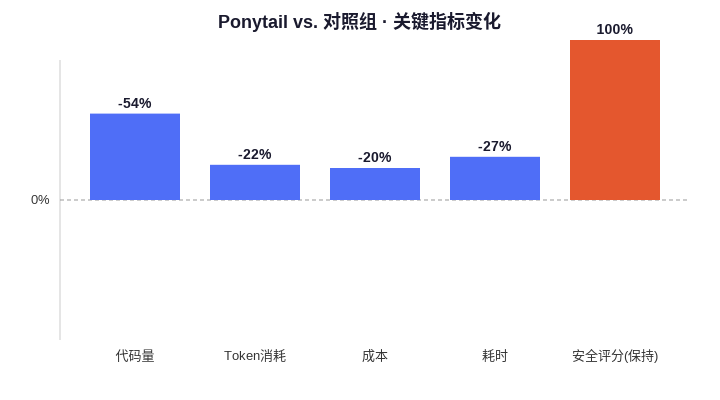
Actual measurements show that Ponytail reduces real code volume by approximately 54% (ranging up to 94% depending on the task), cuts token consumption by 22%, lowers costs by 20%, and shortens execution time by 27%. More critically, its code quality score holds steady at 100%—across 12 real feature development tasks, based on continuous measurement from real OpenAI Claude Code sessions.
Some skeptics ask: “Is the code reduction just because the model is being stingier with text?” Project Caven’s controlled experiment ruled out this confounding factor. Traditional “concise style” prompts also reduce code by 33%, but the safety score drops to 95%; meanwhile, Ponytail maintains 100% safety with even less code.
Target Audience & Comparison with Similar Tools
Ponytail is a great fit for:
- Heavy AI coding users: Frequent users of tools like Claude Code, Copilot CLI, etc.
- Teams that value code quality: Projects looking to control code volume and reduce maintenance costs
- Tech leads wary of over-engineering: Developers who resent “frameworks for the sake of frameworks”
Less suitable for:
- Projects requiring highly customized UI components (when native components don’t cut it)
- Legacy systems dependent on specific third-party library ecosystems
- Beginners (understanding code principles matters more than minimizing code volume)
Comparison with similar tools:
- Caveman: Advocates a terse-prose style, but only reduces code by 20%, while token usage and cost actually increase slightly
- YAGNI + one-liner prompts: Reduces code by 33%, but at the cost of safety
- Ponytail: The only solution that simultaneously optimizes across all dimensions, with 100% safety and zero compromise
Closing Thoughts
Ponytail’s revelation isn’t about “how much less to write,” but about “what not to write at all.” It magnifies a simple truth under a microscope: we write too much code, simply because “we can,” not because “we need to.”
As AI makes writing code ever easier, Ponytail reminds us—true experts don’t write code faster; they’re just better at making code disappear.
Project homepage: https://ponytail.dev Code repository: github.com/DietrichGebert/ponytail