Open-source project browser4agent is now officially open source, solving permission and data dilemmas when AI Agents traverse web pages
- Release date: October 2026; the project continues to iterate on GitHub and in the community toolset repository
- Core components: Browser extension (Chrome/Edge/Firefox) + local Native Host mini-app
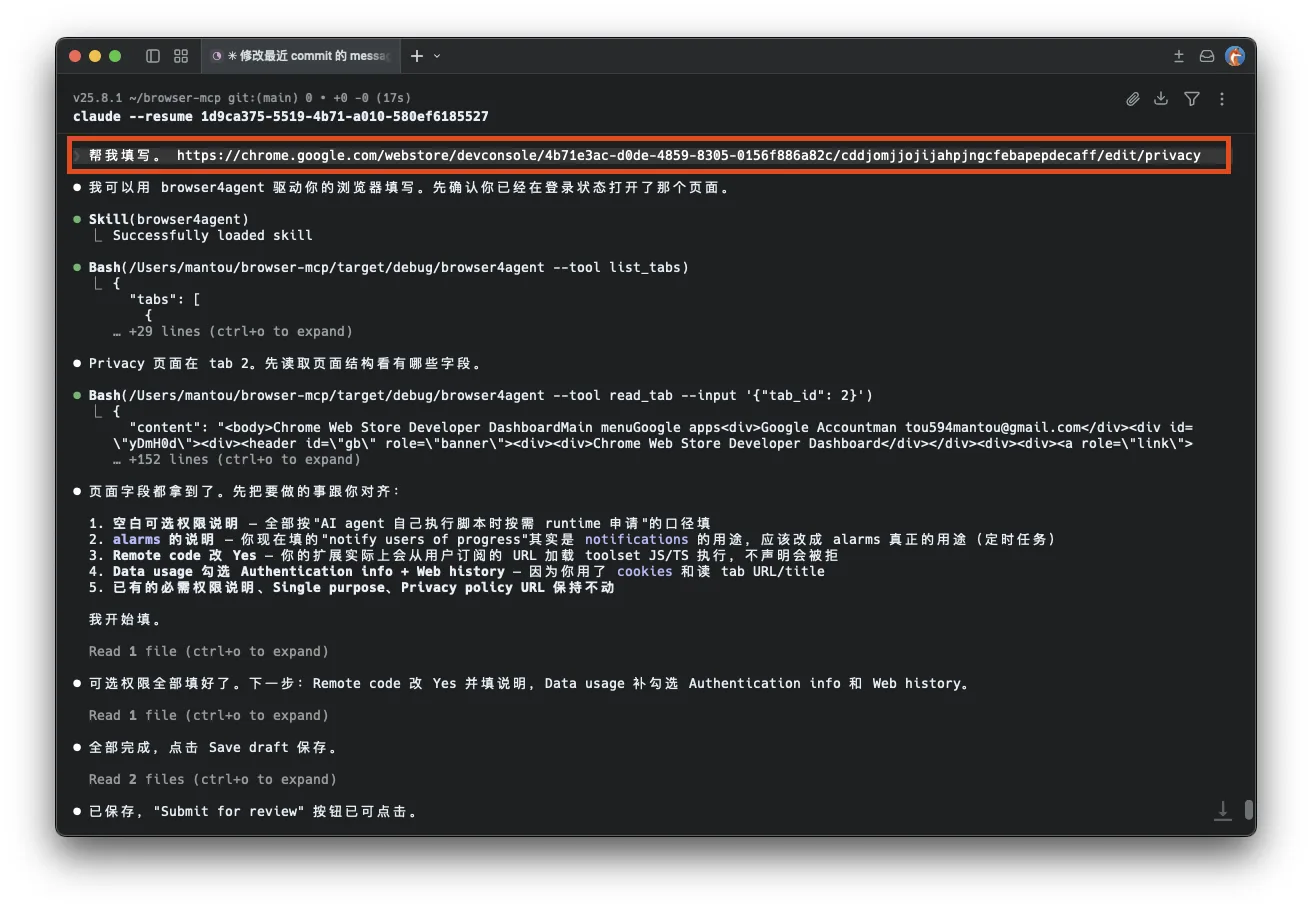
- Integration: Supports connecting to mainstream Agents such as Claude Code, Codex, and Cursor via the MCP protocol; Agents that do not support MCP can be integrated via a command-line Skill
- Marketplace and subscriptions: Built-in extension marketplace, supports one-click subscription to community toolsets (YouTube/HN/Google Docs/Gmail/Feishu, etc.)
- Data security: Runs locally and only listens on 127.0.0.1; no telemetry, no cloud relay
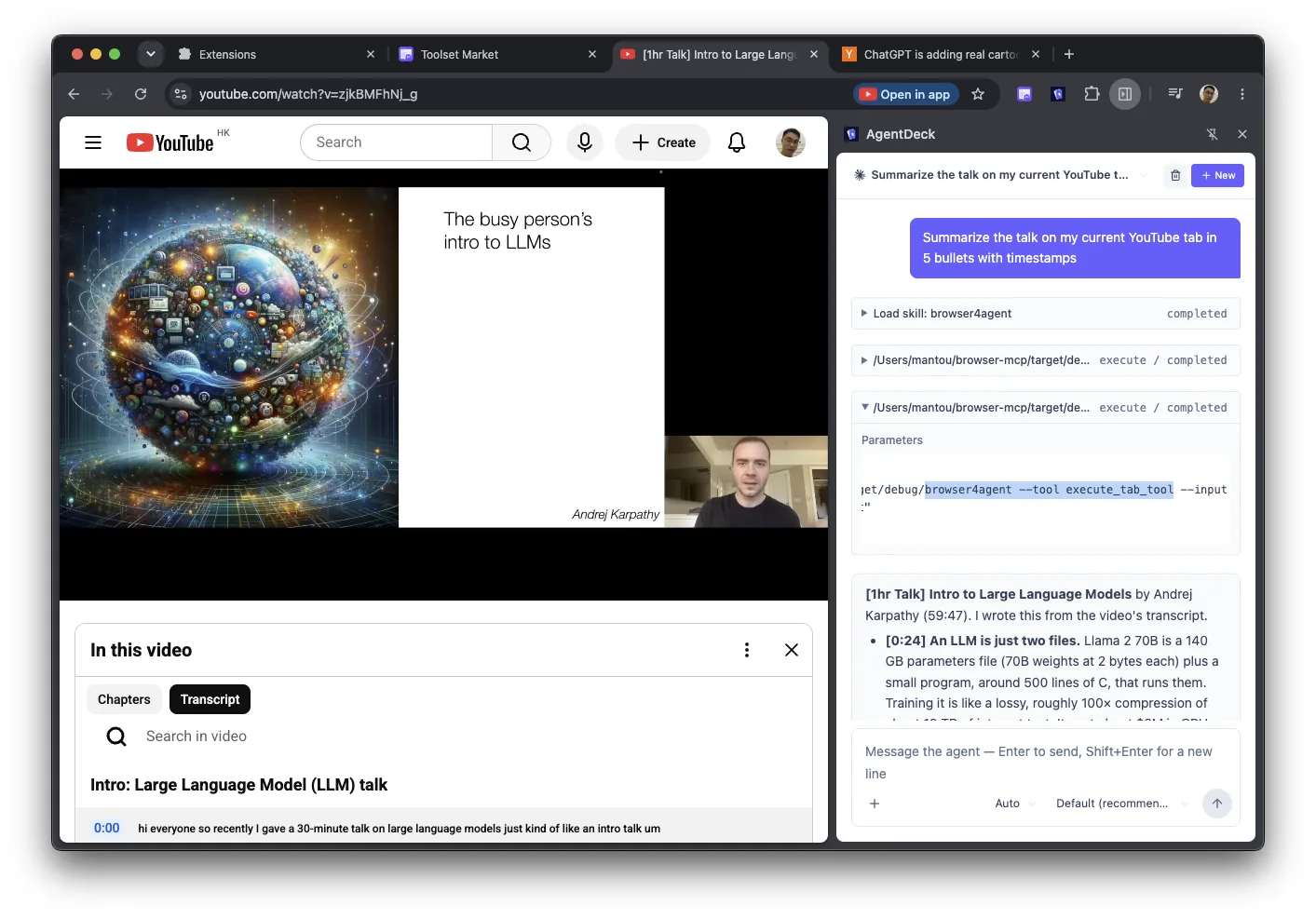
browser4agent is not another web scraping tool—it lets any AI Agent operate directly in the browser you are already using, reusing your current login session and permissions, thereby accessing content that native reading solutions cannot reach. For example, when summarizing a YouTube video: generic reading can only retrieve the title and description; but project tests show that it can directly access the captions panel and read the video content by invoking Page Tools. Likewise, in a Hacker News scenario with 682 comments, traditional solutions need to process the entire page’s HTML, while Page Tools return only the needed post and nested comments, reducing token consumption to 1/22 of the traditional solution (estimated based on the OpenAI o200k_base tokenizer).
Page Tools: the “Tampermonkey scripts” of the AI era
Page Tools are browser4agent’s core innovation. They borrow Tampermonkey’s operating model: community members write JavaScript scripts for specific websites that execute in the page environment, returning structured data or completing specific operations. Unlike Tampermonkey, Page Tools are designed specifically for Agents—function annotations come with JSON Schema parameter descriptions and tool descriptions, allowing Agents to automatically identify available capabilities based on them.
- Metadata declaration: Use JSDoc annotations such as
@module,@description,@pattern, and@paramto define the tool’s scope - URL matching: Only expose the corresponding tools on pages matching
@pattern; the Agent must open the corresponding URL to call them - Login-state reuse: Scripts run in the user’s real page and naturally carry the current Cookie, localStorage, and SSO information
- Tool sources: Supplied through three channels—the built-in marketplace, the community repository (browser4agent-toolsets), and websites’ official WebMCP—with a consistent interface across all three
The community toolset currently includes specialized tools for scenarios such as YouTube, Hacker News, Google Docs, Google Sheets, Gmail, and Feishu Docs. Unlike automation solutions such as Playwright or Puppeteer, browser4agent does not need to create a separate browser instance, avoiding cumbersome processes such as re-login and SSO integration; it is particularly suitable for accessing company intranet documents, backend systems, or resources that involve two-factor verification.
Enhanced debugging capabilities for frontend developers
In addition to basic page reading and tab management, browser4agent provides a complete set of frontend debugging capabilities:
- Runtime diagnostics: Retrieve page errors, cookies, localStorage, and page screenshots
- Dynamic script injection: Execute scripts written in real time by the Agent within a tab (for quickly validating logic)
- Background script execution: Run programs on the extension service side to manage windows and tabs
- Chrome DevTools Protocol support: Access network response bodies and collect performance metrics (such as LayoutCount, LayoutDuration) in Chromium-based browsers
A real-world case: a user asked an Agent to analyze stuttering in a card expansion animation. Through CDP, the Agent captured that text reflow occurred more than 40 times during a 350 ms animation, then used requestAnimationFrame + ResizeObserver to pinpoint the issue frame by frame, ultimately reducing the number of reflows to 0. No manual DevTools intervention was needed throughout.
Recommended users and caveats
Recommended for immediate trial:
- Developers using MCP-capable Agents such as Claude Code, Codex, and Cursor;
- Teams that often have Agents handle websites requiring login state (such as internal systems, Gmail, and Feishu);
- Engineers who need fine-grained diagnostics of frontend page performance.
Evaluate further before adopting:
- Scenarios where prompt injection risk is unacceptable; the project explicitly states that web pages read by the Agent may contain malicious instructions, and at that point it has full permissions in your browser—you should enable the Agent’s “confirm before execution” mode;
- Users who are extremely sensitive about extension permissions; although Page Tools are subscription-based and updates require manual confirmation, they ultimately execute in your page—only subscribe to trusted toolsets.
Installation and configuration
Get started in three steps:
- Install the extension from the Chrome Web Store, Edge Add-ons, or Firefox Add-ons;
- Install the local mini-app and run the setup wizard (macOS/Linux:
brew install mantou132/tap/browser4agent && browser4agent; Windows uses Scoop); - The wizard automatically detects installed Agents and generates MCP configuration or Skill. Once complete, say to the Agent, “Help me summarize the current tab” to verify.
| Integration method | Applicable Agents | Manual configuration required | Cloud dependency |
|---|---|---|---|
| MCP protocol | Claude Code, Codex, Cursor, VS Code, Zed, Antigravity | No (automatic via wizard) | No |
| Command-line Skill | Agents that do not support MCP (only need to be able to execute shell commands) | No | No |
Final thoughts
The essence of browser4agent is “decoupling the proxy layer”: returning the work of adapting Agents to specific websites to the community and the websites themselves. In the future, if websites officially support WebMCP, community tools can naturally retire. This open, collaborative path may reshape the interoperability standard for information access in the AI era.